Notifications
FlowWright emits a small, fixed set of events and delivers them to three places:
- the inbox — in-app, per user, the bell in the top bar;
- email — per user, opt-in, and only to a verified address on an instance with SMTP;
- workspace channels — outbound HTTP webhooks, configured per workspace by an admin.
Those are inbound: a provider calling FlowWright to start a run. These are outbound: FlowWright calling you. Both are called webhooks and both have "deliveries" — see Integrations for the other one.
For alerting from inside a pipeline — post to Slack when this stage fails — a post hook
running your own script is still the right tool. See Stages. This
page is about what the control plane emits on its own.
The eight events
| Event | Category | Severity | In-app default | Notes |
|---|---|---|---|---|
run.failed | run | error | on | |
run.succeeded | run | success | off | see recoveries below |
security.password_changed | security | warning | on | mandatory |
security.email_changed | security | warning | on | mandatory |
security.token_created | security | warning | on | mandatory |
workspace.member.added | membership | info | on | |
workspace.member.role_changed | membership | info | on | |
worker.heartbeat_lost | operational | error | on | instance admins |
Mandatory means mandatory. The three security events cannot be turned off, in-app or by email — they bypass the preference walk entirely and email is forced to immediate. There is no unsubscribe. They are also the events with no workspace, which is why they never reach a channel.
Nothing outside this list is emitted. Notably absent: enrolling or removing MFA, an admin resetting a password, a session being revoked, a sign-in from a new device, and a member being removed from a workspace. Those are in the audit trail, not here.
run.recovered is not an event
It is a label. When a run.succeeded follows a failure on the same project, the notification
renders as a recovery instead. Three consequences, each of which surprises someone:
- Successes are off by default but recoveries still notify, because a recovery inherits
run.failed's default rather thanrun.succeeded's. That is deliberate — a recovery is as worth knowing about as the failure it ends. - A user watching for
run.succeededwill not receive recoveries; they are filed underrun.recovered. - A channel filtered to
run.succeededwill receive them, because channels filter on the raw event type and per-user subscriptions filter on the rendered one.
Preferences
Each user sets, per category, whether the inbox is on and whether email is off, immediate or digested. A workspace admin sets the same grid as workspace defaults.
Resolution takes the first row that isn't default, in this order:
- your preference for this workspace,
- your global preference,
- the workspace default,
- the instance default in the table above.
Within each of those, a row for the specific event type beats a row for its category.
So a workspace admin's defaults fill in what a user hasn't decided; they never override what a user has. And email is off at the instance default, so it is opt-in everywhere except the mandatory security events.
You can also watch a specific project or run — a per-resource subscription independent of the category grid. Access is checked when you subscribe.
Workspace channels
A channel is a name, an HTTPS URL, a format, and an optional event filter. Creating, editing,
deleting and testing one all require the workspace's manageSettings capability.
The URL is write-only. It is encrypted at rest and never returned by any read — not even masked — so editing a channel means entering the URL again. Since a Slack or Teams incoming webhook URL is the credential, that's the whole secret.
format changes the JSON body and nothing else. There is one transport: a POST with a
JSON body and a 10-second timeout. generic sends a structured object; slack and teams
both send { "text": … } — today they are the same payload, not Slack Blocks or an Adaptive
Card. Point either at its incoming-webhook URL and it renders as a plain message.
An empty event filter means every event the channel can receive. That set is smaller than the catalog: channels are workspace-scoped and the security and operational events carry no workspace, so only the four run and membership events are deliverable. The API rejects the others rather than accepting a filter that would never match.
A channel's last delivery time and last error are shown on its card. That is the only place webhook failures surface in the UI.
Delivery
| Behaviour | Value |
|---|---|
| Attempts | 8, then permanently failed |
| Backoff | min(30s × 2^attempt, 1h), with jitter |
| Retried | HTTP 5xx and 429; network and timeout errors |
| Not retried | any other non-2xx — permanent immediately |
| Circuit breaker | after 5 consecutive transient failures (see below) |
| Rate limits | per hour: 50 per user, 500 per workspace, 2 000 per instance |
The circuit breaker is per webhook channel and opens it for 15 minutes, so one dead endpoint never stalls another workspace's. Email has a single instance-wide circuit that escalates on repeated opens — one minute, then two, up to fifteen.
Mandatory security email is exempt from the rate limits. Channels have no per-user limit — they have no user.
Delivery rows are created whether or not a transport exists, and without one they retry every five minutes indefinitely: they never exhaust their attempts and are never pruned. In practice the volume is small, because only opted-in users with a verified address generate rows — but mandatory security email bypasses preferences, so it is not zero. Configure SMTP or expect a slowly growing queue.
The dispatcher, the rate limiters and the circuit breakers are all in-process and in-memory. Two control-plane replicas against one database will double-send. Run one.
The inbox
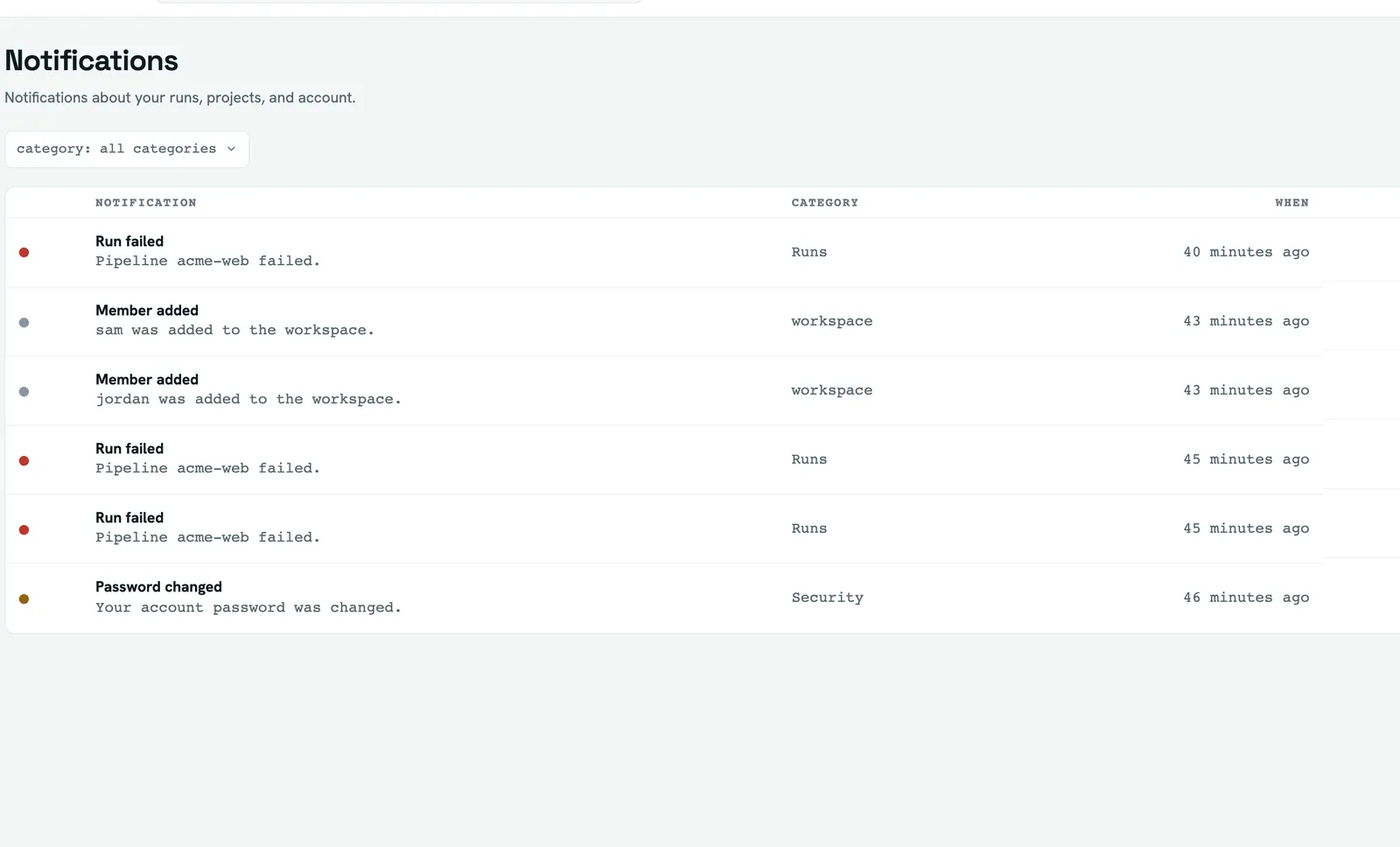
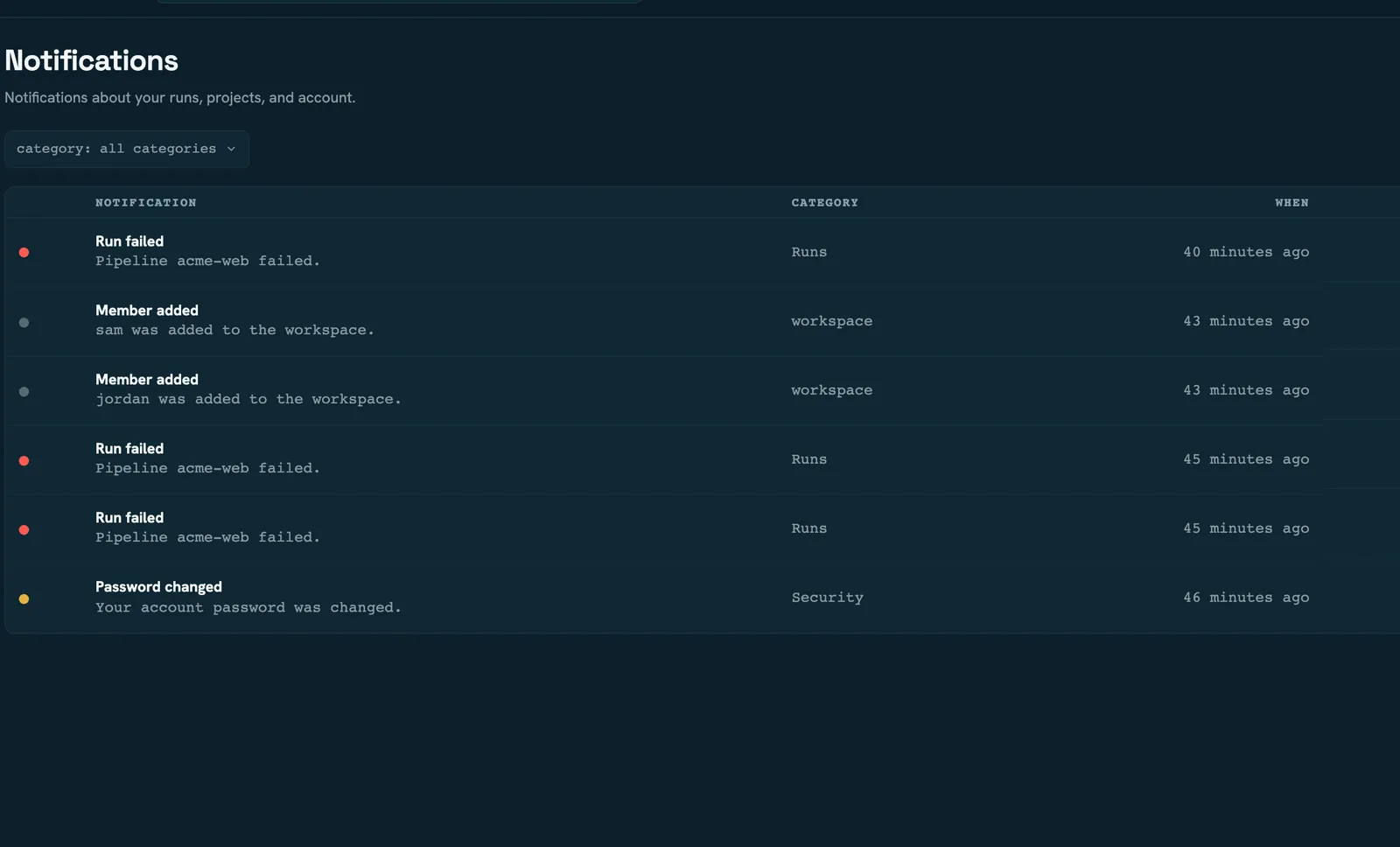
The bell shows unread count and the ten newest; the full list pages and filters by category. Items can be marked read or unread, or archived — archiving removes them from the list.
Inbox items are pruned after 90 days, on the same sweep that enforces run retention. The window is fixed and not configurable. Archiving doesn't delete anything sooner.
All three inbox URLs — global, workspace and admin — render the same, unscoped list; entering it from a workspace does not filter it to that workspace.
Read next
- Audit and activity — the record of what happened, as opposed to who was told
- Members and roles —
manageSettings, which gates channels and workspace defaults - Stages — alerting from inside a pipeline