Credentials
A pipeline says which secrets a stage needs; the control plane is where those secrets come to exist. Credentials covers the other half — declaring one on a stage, and which environment variables it lands in.
Values only ever travel one way. A stage receives one; no route returns one, at any permission, to anyone.
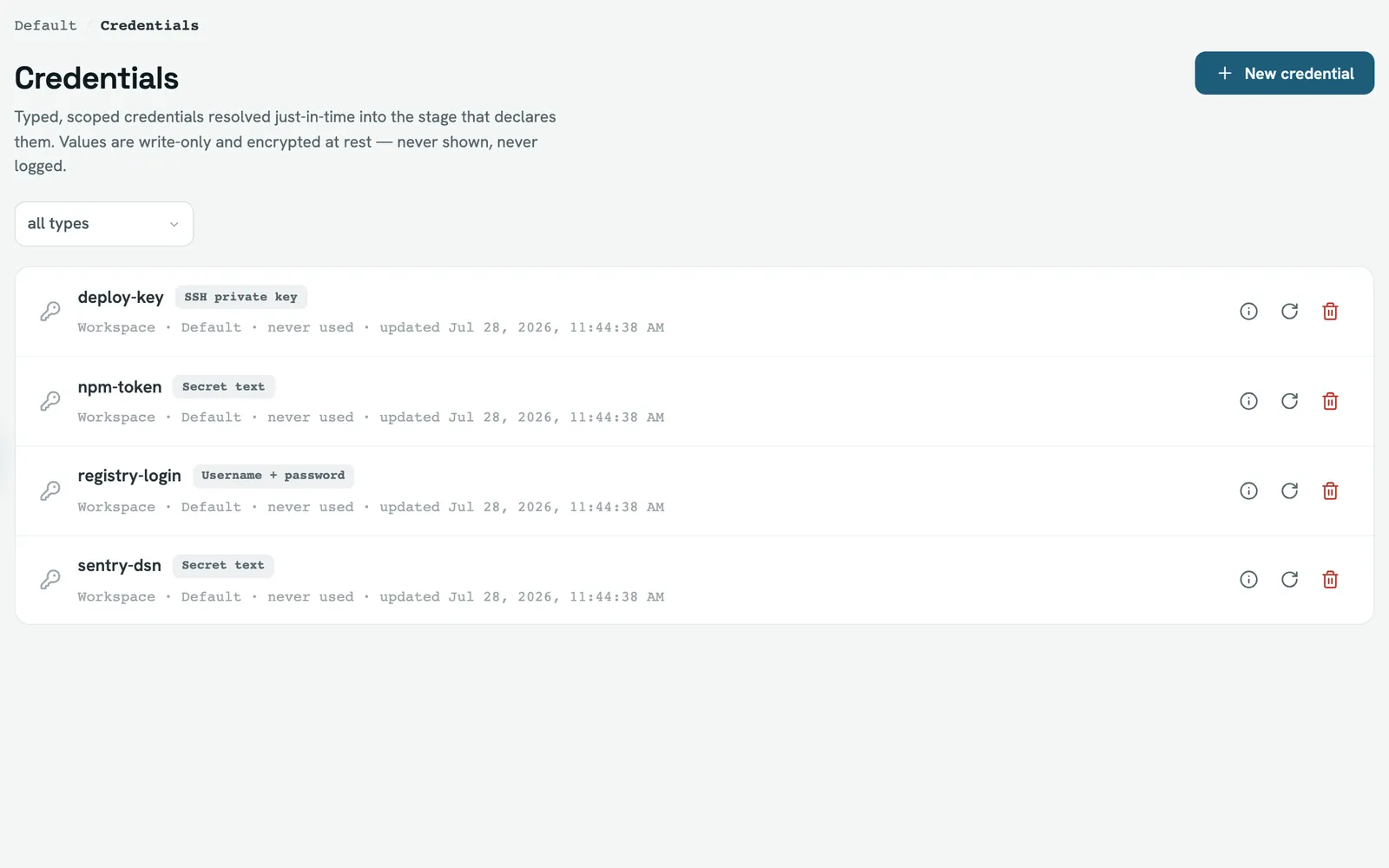
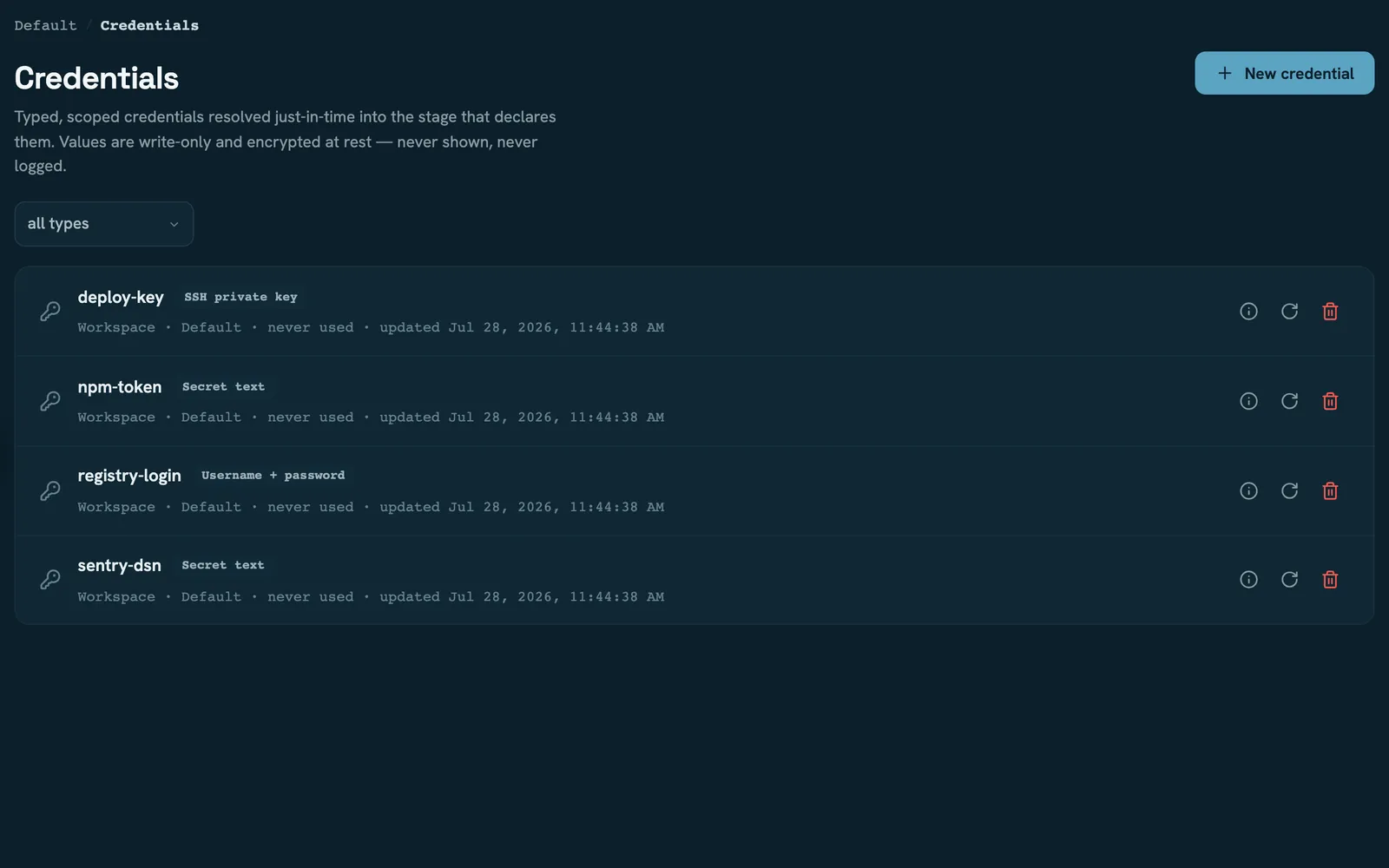
Four types
secretText, secretFile, usernamePassword and sshPrivateKey. What you store is what
the type says: text, file contents, a pair, or a private key with an optional passphrase.
The type is fixed at creation. Rotation replaces the value and keeps the id — the stages referencing it don't change — but it cannot change the type. To change a secret's shape, create a new credential and update the pipeline.
Three scopes
Scope decides both who can manage a credential and which pipelines can resolve it:
| Scope | Managed by | Resolvable by |
|---|---|---|
| Instance | instance admins only | any project on the instance |
| Workspace | that workspace's admins | any project in that workspace |
| Project | instance admins | that one project |
Two things about visibility surprise people. Reading a workspace credential needs
manageCredentials, the same capability as changing it — so a workspace member sees an
empty list rather than a read-only one. And a credential you can't manage is not found,
not forbidden: the list omits it and fetching it directly returns 404, so the API never
confirms an id you aren't allowed to touch.
Instance-scoped credentials are invisible to everyone but instance admins, by the same rule.
Creating and deleting a workspace credential is a workspace-admin action, but rotation
goes through the instance-wide route and needs credential:write. A workspace admin who
isn't an instance admin can make and remove credentials in their workspace but cannot
rotate one.
Every write — create, rotate, re-scope, delete — additionally requires a recent re-authentication.
Restricting a credential to trusted workers
A credential can name the worker labels allowed to resolve it. This is fail-closed: a worker that advertises none of them, or no labels at all, never receives the value, and the stage fails.
What the pipeline sees is deliberately uninformative — credential "npm-token" could not be resolved, the same message as a missing credential, a type mismatch or a decryption
failure. That's intentional: the failure shouldn't tell an untrusted caller which of those
it was.
The real cause is recorded as a credential.resolve_failed audit event with a reason —
worker_not_trusted, not_found, and so on. It is keyed by the credential name while the
credential's own detail view queries by id, so these entries don't appear there. Look in
the workspace activity or the instance audit log instead.
Where a value actually comes from
By default FlowWright stores the value itself, encrypted. A credential can instead be provider-backed — pointing at an environment variable, a file, or a Vault path on the worker, in which case FlowWright stores no value at all, only the reference.
Which providers exist and how they're configured is worker-side; see Worker. Two consequences here: a provider-backed credential cannot be rotated through FlowWright (rotate it where it lives, or delete and recreate), and it is only resolvable on a worker where that provider is configured.
A credential provider is env, file or vault. A source-control provider is a GitHub
or GitLab app — see Integrations. And the
CI pages use "provider" for GitHub Actions or GitLab CI, which is a third thing
entirely.
Deleting
Deleting a credential removes the row and its encrypted value immediately. Any pipeline still declaring it fails closed at the stage that asks for it.
A project's project-scoped credentials go with it, without being listed in the confirmation and without their own audit entries. Workspace- and instance-scoped credentials are untouched. See Projects for what else deletion takes.
Rotating the encryption key
Stored values are encrypted with FW_SECRET_KEY. Replacing that key is an ordered
procedure, not a single click:
- Back up the data directory. This rewrites every stored secret.
- Run the re-encryption with the new key. It re-encrypts credentials, stored MFA secrets, and the proxy and SMTP passwords.
- Read the report. Credentials that couldn't be decrypted with the old key are listed as failures and left untouched — restore them from the backup or rewrite their values before you retire the old key. MFA secrets behave differently: if one can't be read the whole rotation aborts rather than half-completing.
- Set
FW_SECRET_KEYto the new value and restart — the server and every worker. A worker still holding the old key fails every credential it tries to resolve.
Provider-backed credentials are skipped throughout: there's nothing stored to re-encrypt.
Read next
- Credentials — declaring one on a stage
- Worker — where resolution happens, and external providers
- Members and roles —
manageCredentialsand who has it