Audit and activity
Every mutating action writes a row to an append-only table. Two screens read it: a workspace's Activity tab, and the instance-wide audit log under Administration.
They are the same component over the same table. What differs is scope and who may look.
Two screens, one table
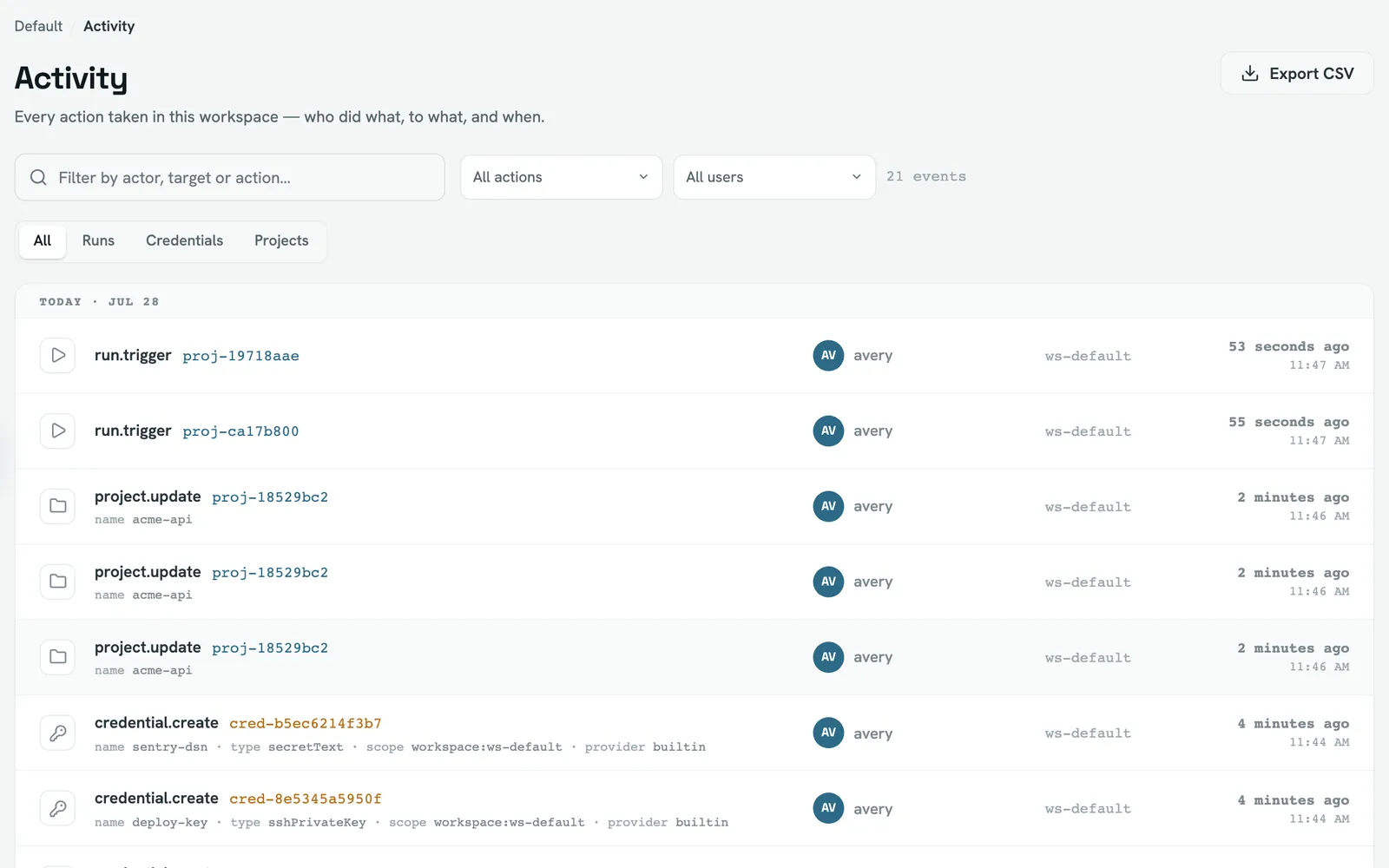
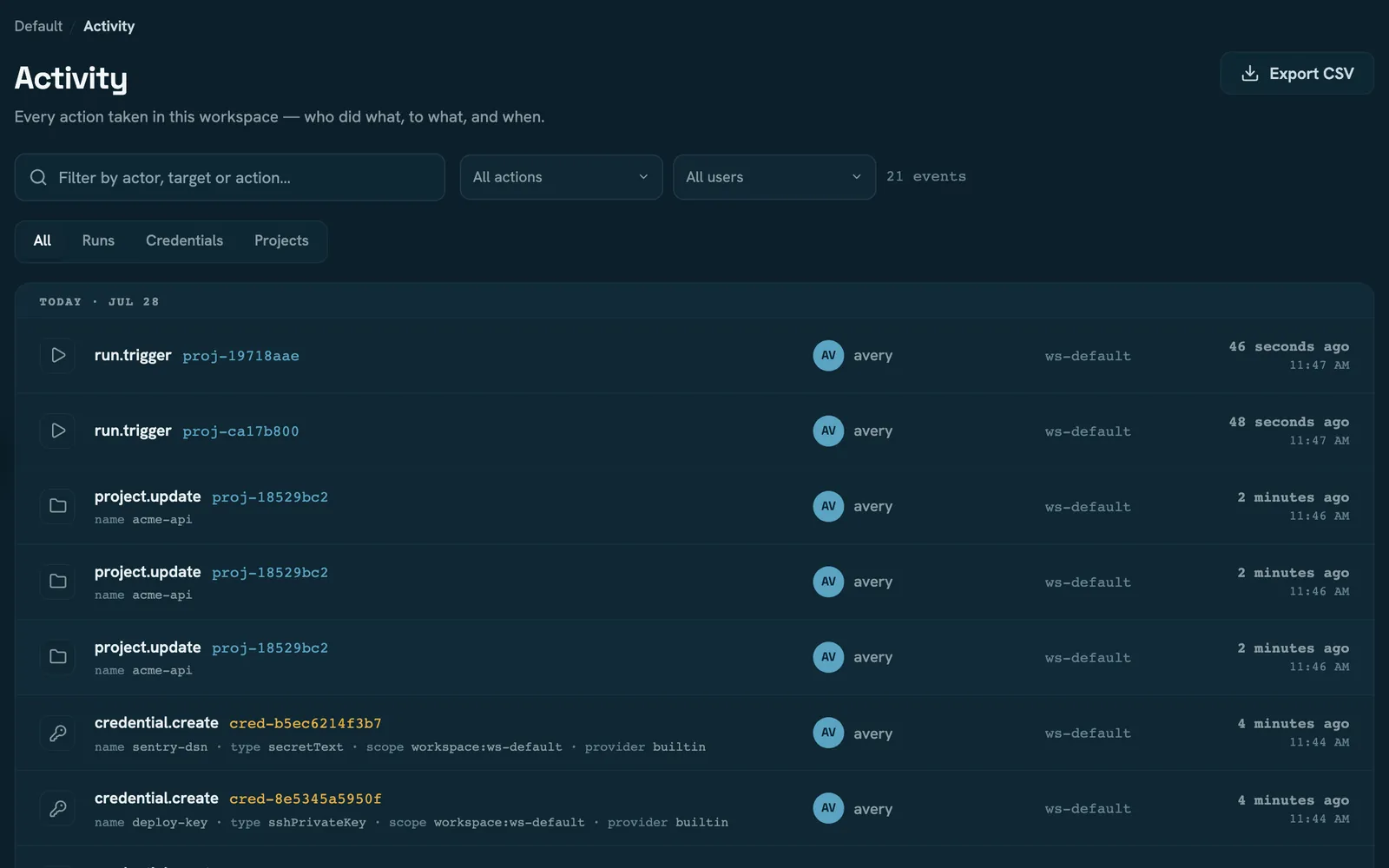
| Workspace activity | Instance audit log | |
|---|---|---|
| Shows | rows carrying that workspace's id | every row, all workspaces mixed |
| Needs | membership — viewer is enough | audit:read, an instance-admin permission |
The consequence is the thing to internalise: a row belongs to a workspace or it belongs to nobody, and most don't. Sign-in and MFA, user and profile changes, instance settings, SMTP and proxy configuration, workers and worker identities, announcements, backups and garbage collection are all instance-scoped — they have no workspace, so they appear only in the admin log. A workspace's activity is its own lifecycle, membership, projects, runs, credentials, integrations and notification settings.
That isn't an omission. It's the same tenancy boundary Workspaces describes, applied to the record.
What a row is
seq, at, actor, action, target, workspaceId, details. seq is a monotonic
integer and the paging cursor; details is free-form JSON whose shape varies by action.
There is no IP address and no user agent. Nothing anywhere records them into audit — the request IP is used only by the login rate limiter. If you need them, they have to come from your reverse proxy's logs.
Three properties to know before you trust it
actor is a display name, not a user id. So renaming a user desynchronises the trail —
old rows keep the old name, new rows the new one, and the actor filter treats them as two
different people. Deleting a user leaves the name behind forever; nothing rewrites or removes
the rows. The subject of an action is usually an id, in target. Two families carry
synthetic actors instead: provider:github for events a source-control provider caused, and
webhook:github for a run a webhook triggered.
Writes are best-effort. A failure to append is swallowed so it can never block the operation being recorded. In exchange, a store problem loses rows silently. This is an operational record, not a guaranteed-write compliance log — treat it accordingly.
Nothing ever deletes a row. There is no retention window, no garbage collection and no cascade: the table is append-only by interface, and the trail survives deleting the project, the credential or the workspace it refers to. Retention bounds runs and artifacts; it does not touch audit. Plan for the table to grow without bound.
What is recorded
96 distinct actions. Grouped by their namespace, and by which screen they reach:
| Group | Count | Examples | Workspace-scoped |
|---|---|---|---|
| Sign-in and MFA | 8 | auth.login, auth.mfa.failure, auth.logout, auth.setup | no |
| Users and profile | 11 | user.create, user.role, user.token, profile.update | no |
| Workspace | 7 | workspace.create, workspace.member.add, workspace.archive | yes |
| Projects and runs | 10 | project.create, run.trigger, run.cancel, run.replay | yes |
| Credentials | 7 | credential.create, credential.rotate, credential.use | yes |
| Workers and identities | 9 | worker.drain, worker.identity.revoke | no |
| Source control | 19 | provider.installation.sync, provider.repository.link, account.link | mostly |
| Notifications | 11 | notification.channel.create, notification.preference.update | mostly |
| Instance settings and operations | 14 | config.update, security.mfa_policy, gc.run, backup.create | no |
Two naming quirks worth knowing before you filter on an action string:
config.updateis nine different settings, told apart only bytarget—authMode,externalBaseUrl,retention,ratelimit,logLevel,concurrency,theme,onboardingDismissed. Two settings escaped that convention and have their own verbs:security.mfa_policyandconfig.registration.user.token,user.deleteanduser.createeach cover two situations. Doing it to yourself and an admin doing it to someone else produce the same action;details.selfanddetails.kindtell them apart.
What is not recorded
More useful than the list above, because the gaps are where people assume coverage:
- Run status transitions are not audit events. Queued, started, succeeded, failed — none
of it. Only the four user verbs are:
run.trigger,run.cancel,run.retry,run.replay. A run's own history lives on the run, not here. - A scheduled run leaves no audit row at all. Cron goes straight to the queue. Its
provenance survives only as the run's
triggeredByfield, which readsschedule. - Worker registration, heartbeats and lease claims aren't recorded — only the administrative verbs (drain, resume, remove) and the identity lifecycle are.
- Deleting a project doesn't record the credentials that went with it. See Credentials.
Filtering, paging and export
Both screens page backwards from newest, 200 rows at a time, following the seq cursor.
Search and the filters run in the browser over what has been loaded — so searching before
you have paged back far enough searches a window, not the log. Load more, then filter.
The filters are free-text search across every field, a multi-select on action, a single-select on actor, and a category control derived from the action's namespace. Remember that the actor filter is exact-match on a mutable display name.
CSV export is built in the browser from the rows currently in view, narrowed by whatever filters are active. There is no server-side export and no way to dump the whole table through the UI — for that, read the database.
Read next
- Members and roles — who can read which trail
- Credentials —
credential.resolve_failedand why it matters - Operations — retention, which bounds runs but not this